Features
Every screen below is the real product
These aren’t mockups — they’re live screenshots from the NexaDesk demo. Open it yourself, log in with the credentials on the sign-in screen, and click around.
Ticketing
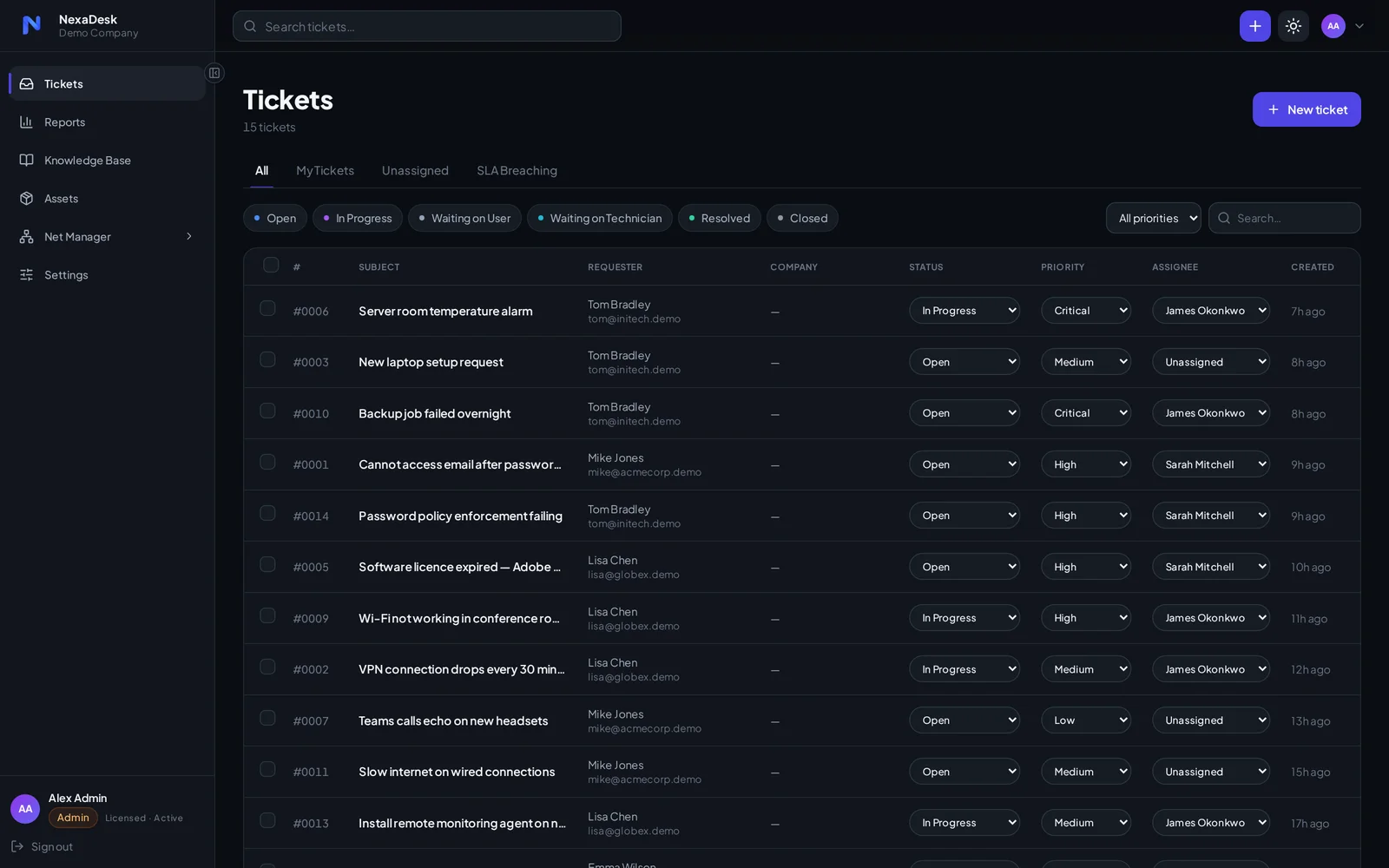
One queue for every request
Email, portal and WhatsApp requests all land in the same queue — with status, priority and owner visible at a glance.
- Focused views — All, My Tickets, Unassigned and SLA Breaching tabs keep techs on what matters
- Priorities that stand out — critical work is impossible to miss
- Bulk actions — reassign, update and close in batches when the queue gets loud
- Instant search — find any ticket by subject, requester or company
Conversations
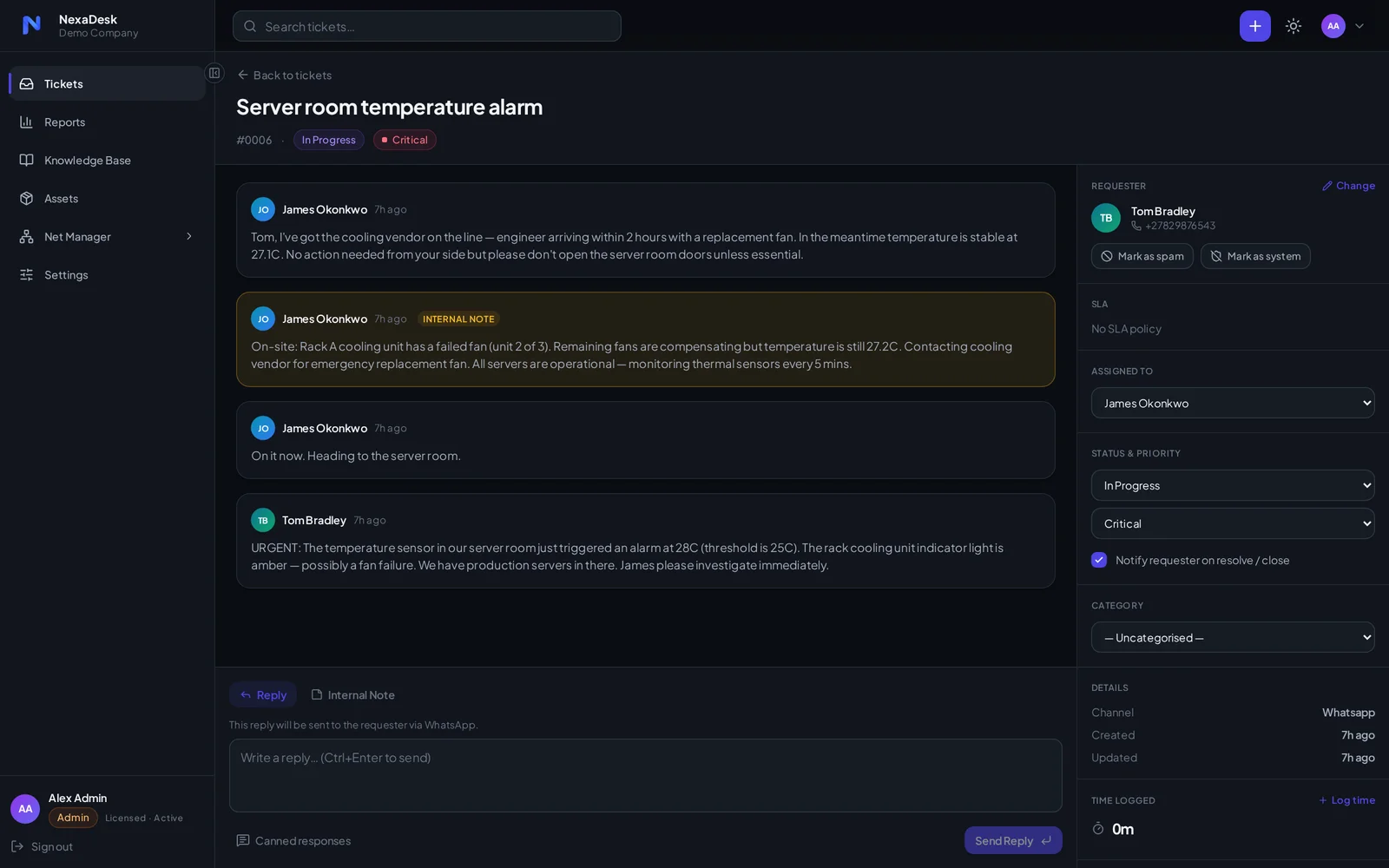
Full context on every ticket
Replies, internal notes and history live in one thread — no digging through mailboxes to work out what happened.
- Reply anywhere — responses go back out on the channel the ticket came in on, including WhatsApp
- Internal notes — keep tech-to-tech context private, right in the thread
- Canned responses — answer the common stuff in two clicks
- Clean assignment — requester, SLA, status and category controls beside every conversation
Service levels
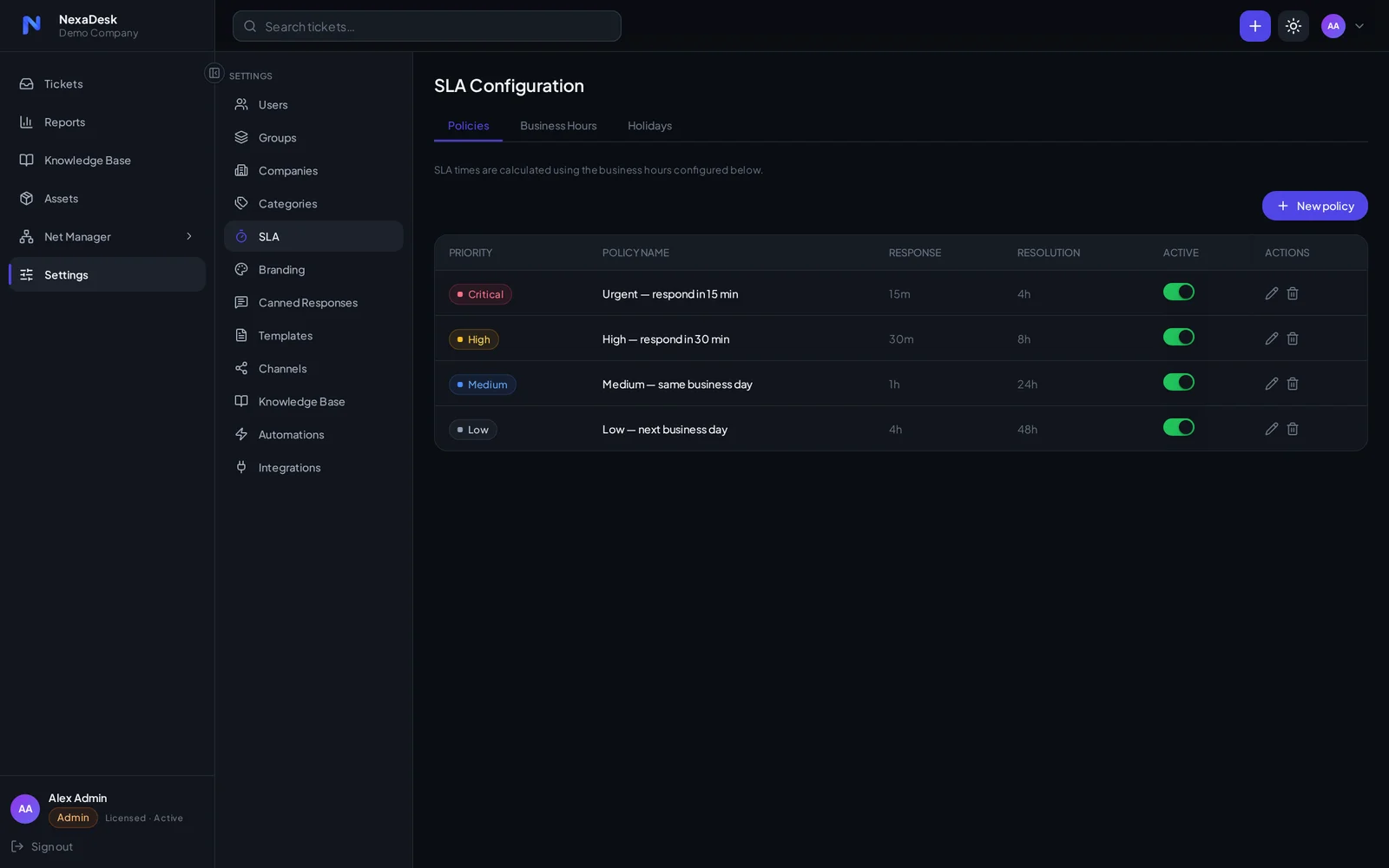
SLAs that keep you honest
Set response and resolution targets per priority, and let NexaDesk track the clock against your actual business hours.
- Per-priority targets — from 15-minute urgent response to next-business-day low
- Business hours & holidays — the clock only runs when you do
- Breach visibility — a dedicated SLA Breaching queue and warnings before you miss
- Automation hooks — trigger alerts and escalations off SLA events
Reporting
Numbers you can run the desk on
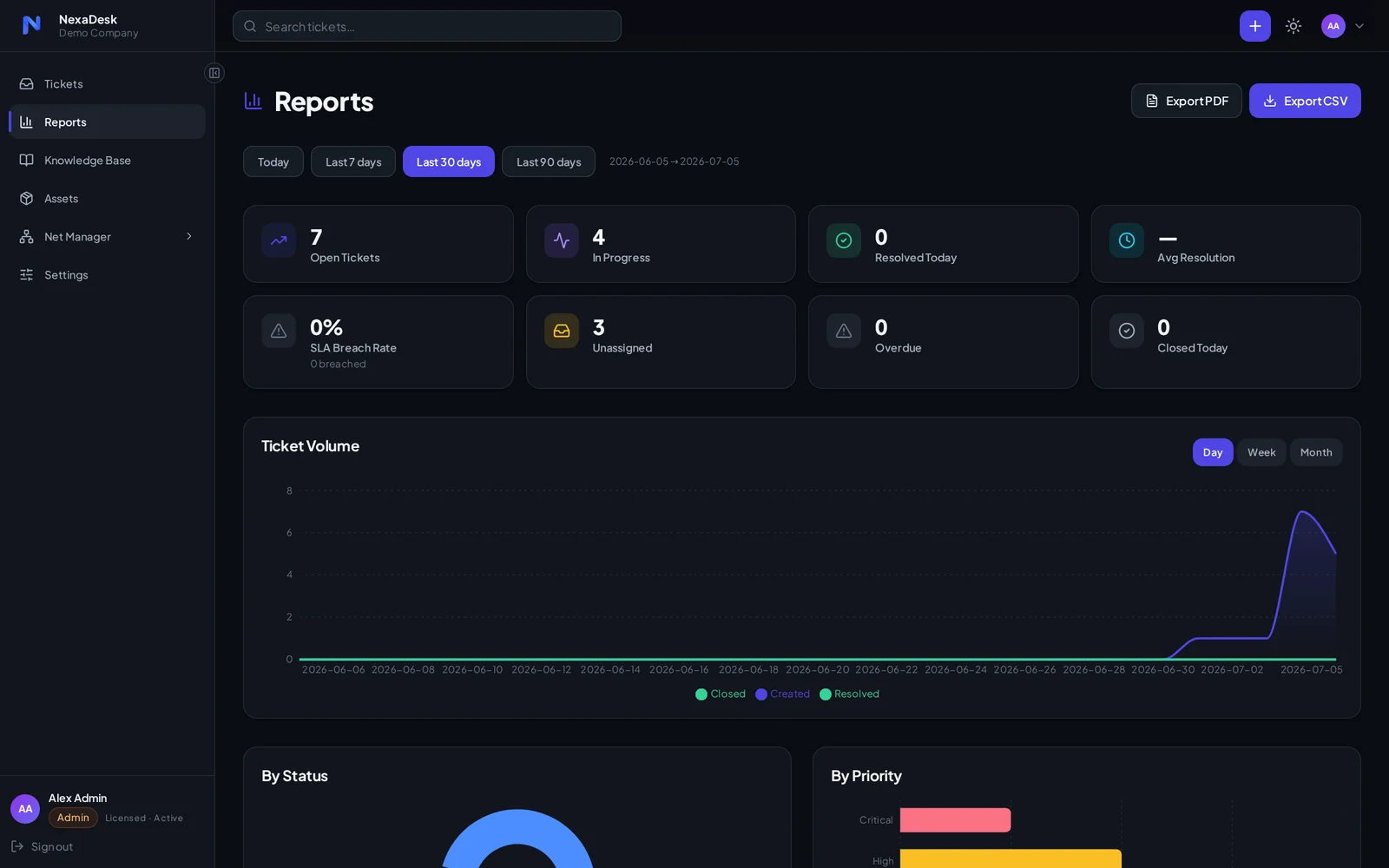
Live dashboards show volume, status and priority at a glance — and export cleanly when someone above you asks for proof.
- Ticket volume trends — day, week and month views over any date range
- Status & priority breakdowns — see where work piles up
- Resolution tracking — average resolution and same-day close rates
- PDF & CSV export — client-ready reports in one click
Knowledge base
Answers before tickets
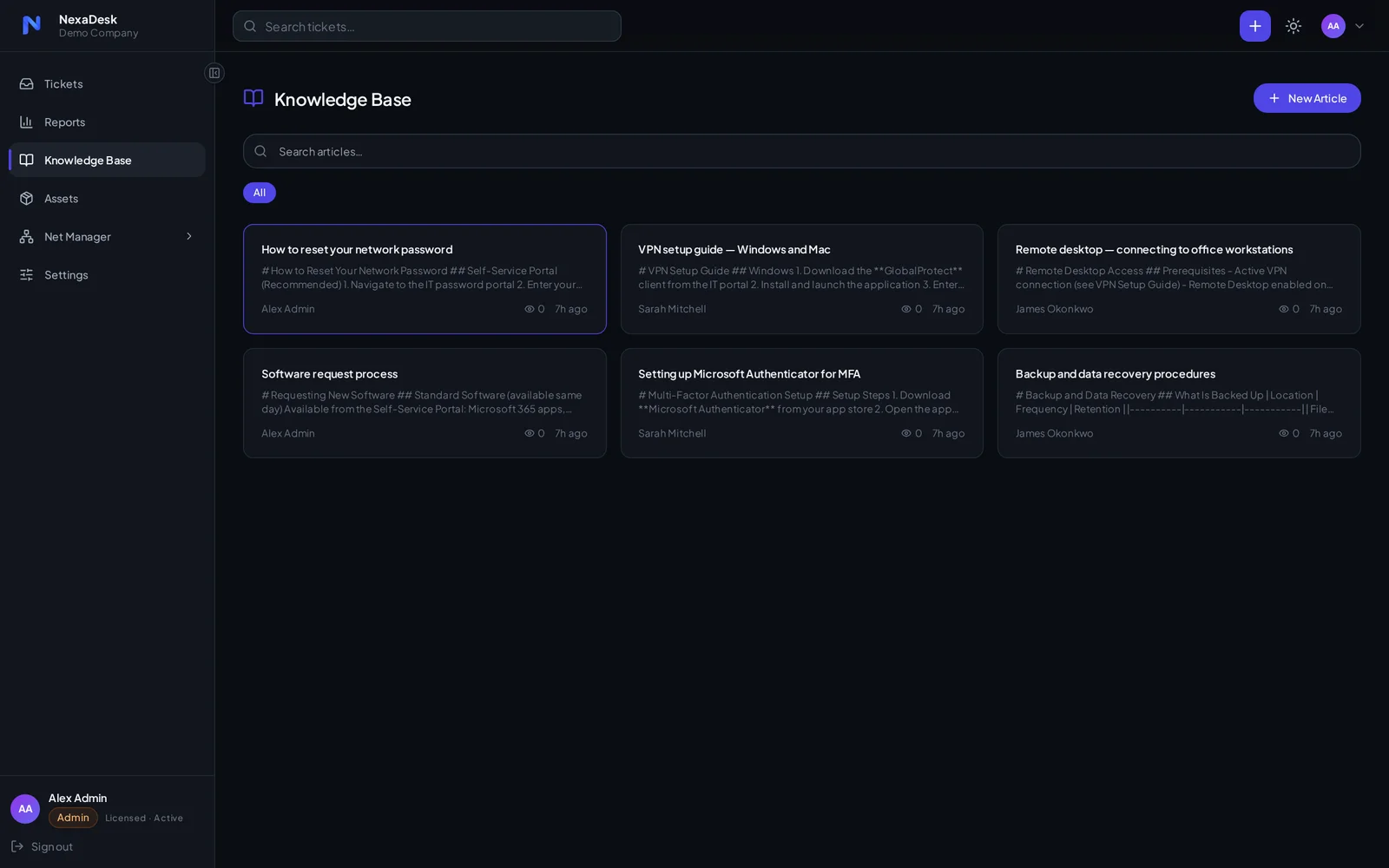
Write the fix once. Requesters help themselves in the portal, and techs stop retyping the same instructions.
- Markdown articles — fast to write, clean to read
- Self-service portal — requesters search the KB before they log a ticket
- Team authorship — any tech can capture a fix the moment they solve it
- Always current — edit in place as systems change
Asset management
Know what you manage
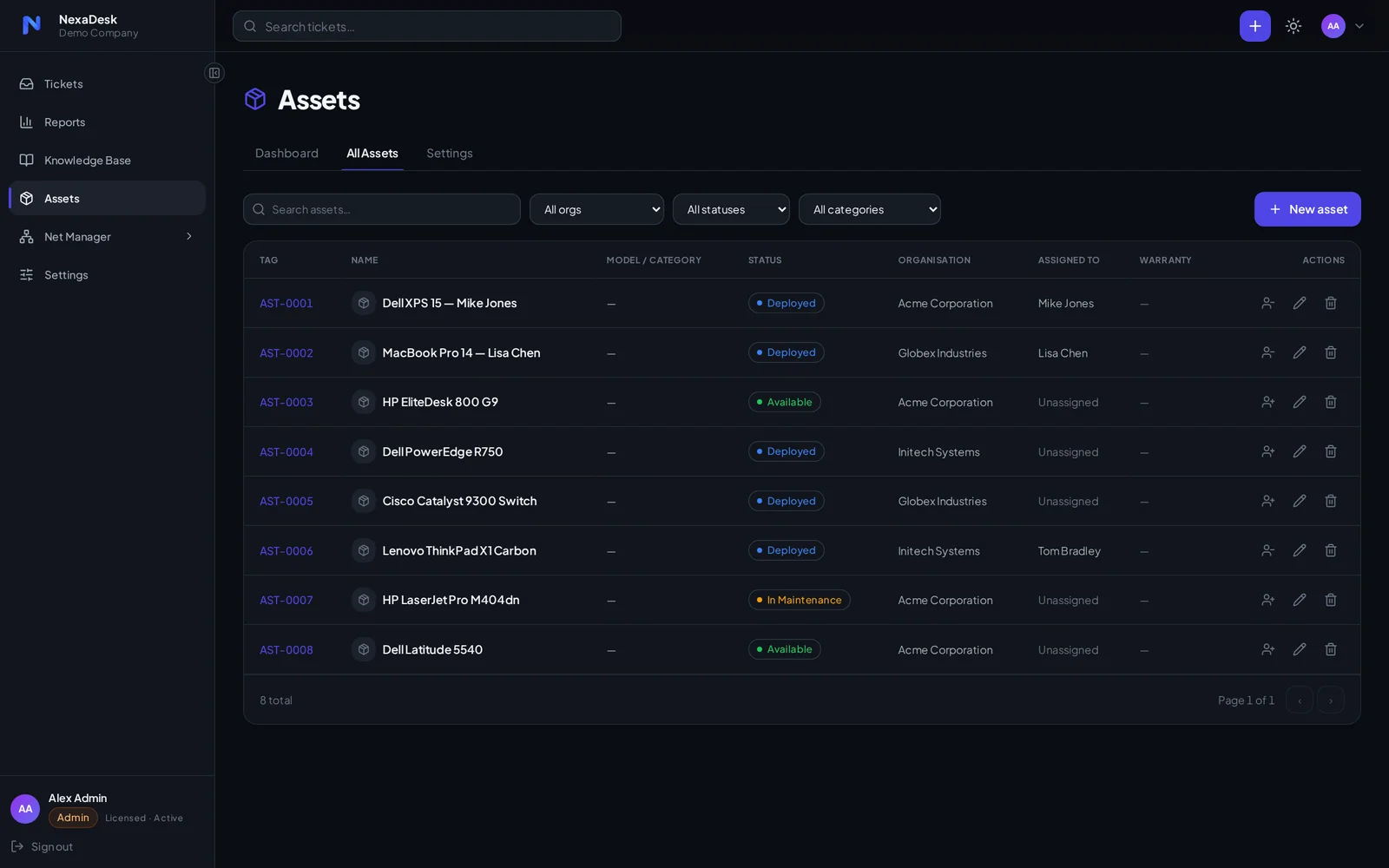
Every laptop, server and switch in a tagged register — linked to the company and person using it.
- Tagged register — AST-numbered assets with model and category
- Status tracking — deployed, available, in maintenance — always current
- Per-company records — made for MSPs managing multiple organisations
- User assignment — see who has what, and link assets to tickets
Automations
A helpdesk that runs itself
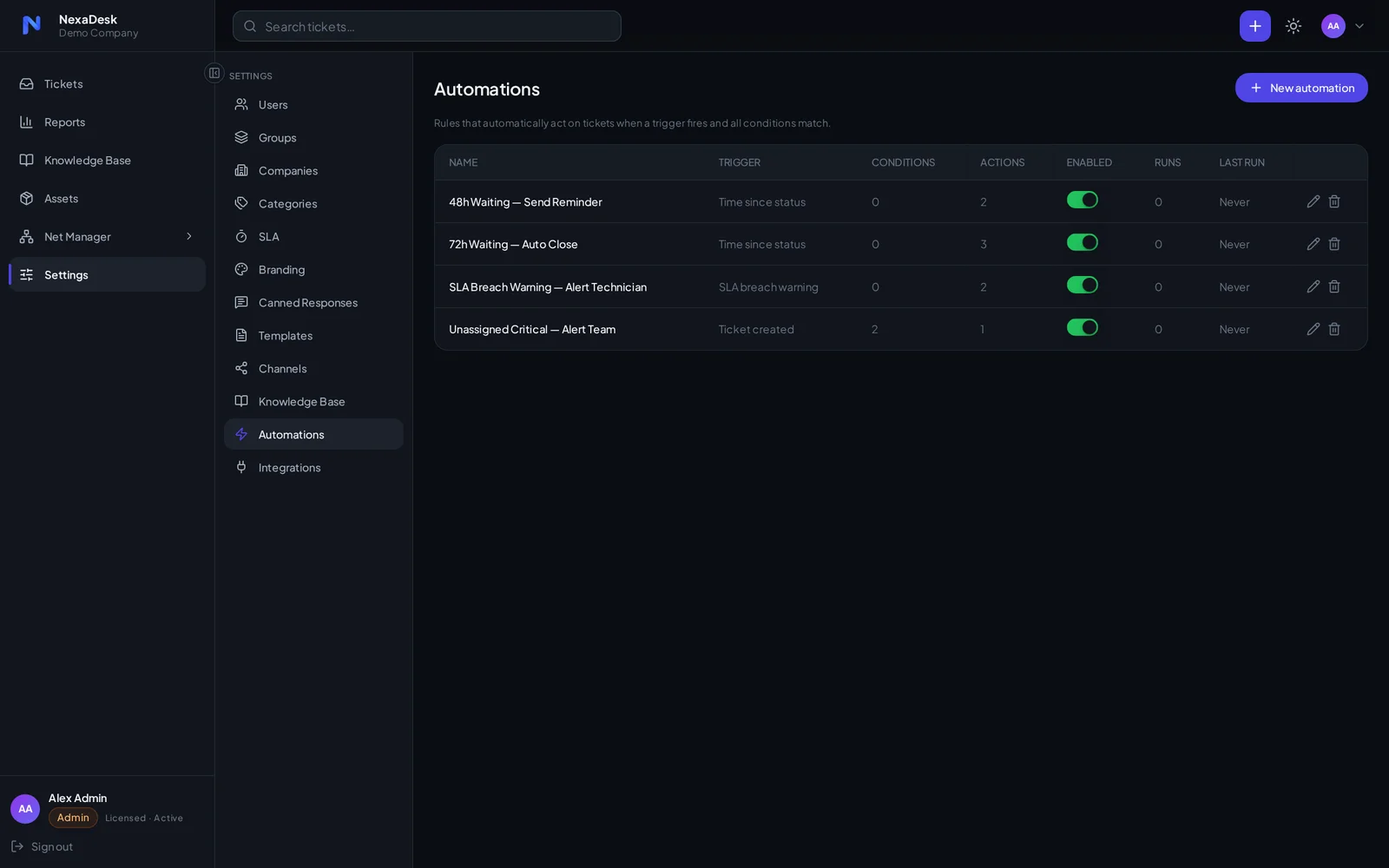
Trigger–condition–action rules handle the repetitive work: reminders, auto-closes, escalations and SLA alerts.
- Waiting-status reminders — nudge silent requesters automatically
- Auto-close — tidy the queue when tickets go quiet for good
- SLA alerts — warn the assigned tech before a breach, not after
- Critical escalation — unassigned urgent tickets alert the whole team
See it on your own tickets
Self-hosted, licensed per team, and set up in an afternoon. Try the demo, then talk to us about your own instance.